

Bring Scientific Evidence into
Any Beat

Every story is a science story. From education and public health to transportation and local policy, science intersects with every beat journalists cover. The Science Reporting Navigator will help you confidently incorporate scientific evidence, perspectives, or context into your reporting—no matter your background or deadline. While using this toolkit, you will encounter a mix of expert tip sheets, interactive learning modules, and actionable downloadable resources.

How to Use the
Science Reporting Navigator

We know that no two reporting situations—or reporters—are exactly alike. That’s why the Science Reporting Navigator is designed to meet you where you are. 

Option 1

Follow a
Learning Path

Not sure where to start? Choose your path based on the story you’re working on—whether you’re covering a fast-moving public health emergency, investigating a longstanding environmental issue in your community, vetting a science-related claim made by a public official, or something else. Our learning paths will walk you through a series of lessons designed to point you to the specific advice and resources you need. This is the fastest way to get practical, story-specific support—especially helpful when you’re working against the clock.

Option 2

Explore by Topic

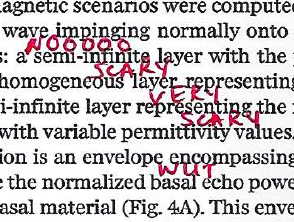
We’ve gathered the same material from the learning paths described above into dozens of short, accessible lessons, organized around 10 themes, so you can dive into topics such as reading scientific papers, finding scientist sources, reporting on controversy without amplifying misinformation, or critically evaluating claims—to name just a few.

Option 3

Browse
Resource Library

Check out our glossary of terms and our collection of downloadable tip sheets and templates.

About This Project

The Science Reporting Navigator was created through a partnership between The Open Notebook and the Reynolds Journalism Institute to help journalists integrate more science directly into their daily work.

Learn more about The Open Notebook.

Meet the team that developed this project.

Read more about this project.

Send us feedback!

Skip to content